JSON Escape Characters
Published September 21, 2026
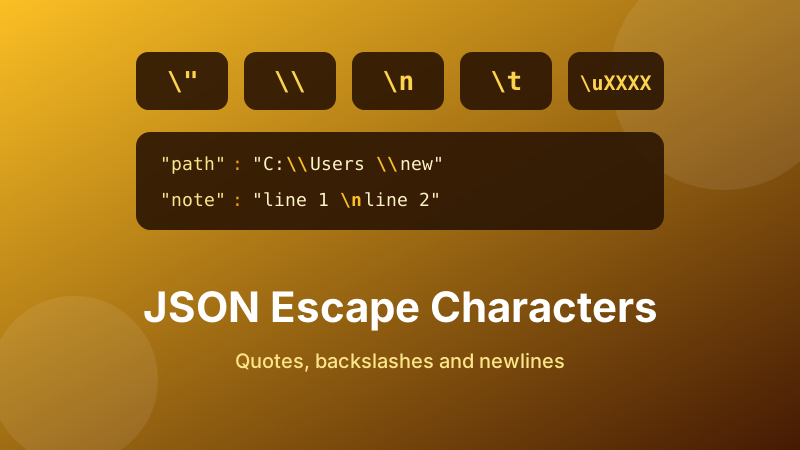
Almost every JSON document that fails to parse fails for one of two reasons: an unescaped quote, or a backslash that meant something the author did not intend. A Windows file path pasted straight into a config file will break it. A quotation mark inside a sentence will break it. Pressing Enter inside a string will break it.
The rules are short — there are only eight escape sequences plus a Unicode form — and once you know them the failures stop being mysterious. Here is the complete set, the traps that catch people, and how to handle the worst case of all: JSON nested inside JSON.
Check your escaping instantly
Paste the document into the formatter: if an escape is wrong you get the exact parser error, and if it is right you get clean indented output. Runs entirely in your browser — nothing is uploaded.
Open the free JSON Formatter →The rule, in one sentence
Inside a JSON string, exactly three things must be escaped: the double quote, the backslash, and any control character below code point 32 — line breaks, carriage returns, tabs and similar.
Everything else is allowed as-is. Single quotes, apostrophes, ampersands, angle brackets, accented letters, Chinese characters and emoji all need no escaping in a UTF-8 document. That short list is why nearly every escaping problem in practice is a quote or a backslash.
The complete escape table
| Write this | To get | Notes |
|---|---|---|
\" | Double quote | Required inside every string |
\\ | Backslash | Required — the cause of the Windows path problem |
\n | Line break | Required — you cannot press Enter |
\r | Carriage return | Pairs with \n for Windows line endings |
\t | Tab | Required — you cannot press Tab |
\b | Backspace | Rare; legacy control character |
\f | Form feed | Rare; legacy control character |
\/ | Forward slash | Optional — a plain / is fine |
\u00e9 | Any character by code point | Optional in UTF-8; four hex digits |
That is the entire list. Sequences that work in other languages — \' for an apostrophe, \x41 for a hex byte, \0 for a null — are invalid in JSON and will be rejected. This catches people who copy a string out of JavaScript or Python source code, where those forms are legal.
Why \/ exists
Escaping a forward slash is permitted but never necessary, which is why you sometimes see https:\/\/example.com in output from PHP and older libraries. The one genuine use is embedding JSON inside an HTML <script> block: writing <\/script> stops the browser’s HTML parser from seeing a closing tag inside your data and ending the script early. Outside that context it is noise, and both forms parse to the same string.
The Windows path trap
This is the most common escaping bug in the wild. Consider a config file with a path in it:
{"path": "C:\Users\new\test.txt"}That looks harmless and is badly broken. \U is not a valid escape sequence, and \n and \t are — so depending on the parser you either get an error or, worse, a silently corrupted value containing a real newline and a real tab where you expected the letters n and t. The correct version doubles every backslash:
{"path": "C:\\Users\\new\\test.txt"}A related failure: a path that ends in a backslash, such as "C:\Users\". The final backslash escapes the closing quote, so the parser thinks the string is still open and swallows the rest of the document. The error then appears hundreds of lines later, which makes it maddening to trace.
Two ways to avoid this entirely: use forward slashes, which Windows accepts in most contexts, or never hand-write paths into JSON and let your language’s serialiser do the escaping.
Quotes inside text
The other everyday case is a quotation mark inside a value:
{"quote": "She said \"hello\" and left."}Each inner quote needs its own backslash. Miss one and the string terminates early, after which the parser sees bare words where it expected a comma and produces a confusing error.
Curly typographic quotes (“ ”) do not need escaping, because they are ordinary characters as far as JSON is concerned. That is a nice property until a word processor silently converts your straight structural quotes into curly ones too — at which point the document breaks in a way that is invisible at normal font size.
Line breaks and multi-line text
JSON has no multi-line string syntax. You cannot press Enter inside a quoted value; a real line break is a control character and produces Bad control character in string literal. Write it instead:
{"note": "First line\nSecond line"}When the parser reads that, the value contains a genuine newline — you are escaping it for transport, not changing the data. Windows-style line endings are \r\n. Tabs follow the same rule with \t.
This is why pasting a log excerpt, an SQL query or a postal address straight into a JSON string breaks it, and why long multi-line text is often stored as an array of lines instead: ["line one","line two"] avoids the problem and diffs more cleanly.
Unicode, accents and emoji
JSON is Unicode. In a UTF-8 file you can write "café", "日本語" or "🎉" directly with no escaping at all, and that is usually the right choice because it stays readable.
The \u form exists for when you cannot rely on the transport preserving encoding, or want to make an invisible character explicit. It takes exactly four hex digits: \u00e9 is é, \u00a0 is a non-breaking space. Characters outside the basic range, including every emoji, need a surrogate pair — two \u escapes together, so 🎉 is \ud83c\udf89. Writing those by hand is error-prone; let a serialiser produce them.
The hard case: JSON inside JSON
Sooner or later you will meet a response that looks like this:
{"payload": "{\"id\":7,\"ok\":true}"}The payload value is not an object — it is a string that happens to contain a JSON document. Every quote in the inner document had to be escaped for the outer one. This happens when an API stores a request body verbatim, when a webhook forwards a payload, or when code calls a stringify function on something that was already a string.
Reading it takes two passes: parse the outer document, take the payload string, then parse that string separately. If the nesting goes another level deep the backslashes multiply — \\\" and beyond — which is the signature of a value that has been stringified one too many times. Usually that is a bug worth fixing at the source rather than unwrapping forever.
A practical trick for reading one: paste the whole thing into the formatter, copy the inner string out of the formatted output, paste that into a fresh formatter, and format again. Two rounds and you can actually see the data.
How to escape safely
- Do not hand-write JSON that contains awkward text. Use
JSON.stringify(),json.dumps()or your language’s equivalent — they escape correctly every time, including surrogate pairs and control characters. - If you must write it by hand, double every backslash first, then escape every double quote, then replace real line breaks with
\n. - Validate before you ship it. Paste the result into the JSON Formatter and click Format.
- Check the parsed value, not just validity. A document with
C:\newin it can be perfectly valid while holding a newline you did not intend. Look at the formatted output and confirm the string says what you meant. - Fix the source, not the symptom. Repeated escaping bugs usually mean string concatenation is building your JSON somewhere it should be serialising an object instead.
Is the formatter private and free?
Yes. The Toolyard JSON Formatter parses and validates in your browser using the browser’s own engine, so escaped payloads containing tokens, credentials or customer data are never uploaded to a server. No account, no limit, and it works offline once the page has loaded.
Validate your escaped JSON
Paste it in and find out immediately whether the escaping is right. Free, private, no sign-up.
Open the JSON Formatter →FAQ
Which characters must be escaped in JSON?
Only the double quote, the backslash, and control characters below code point 32 such as line breaks and tabs. Single quotes, slashes, accents and emoji need no escaping in a UTF-8 document.
How do I add a line break inside a string?
Write \n rather than pressing Enter. A real line break is a control character and triggers the “bad control character in string literal” error. Tabs use \t.
Why does my Windows path break the file?
Backslash starts an escape sequence, so C:\Users\new hides a newline. Double every backslash, or use forward slashes. A path ending in a backslash also escapes the closing quote.
Do apostrophes need escaping?
No — JSON strings use double quotes, so a single quote is an ordinary character. Writing \' is actually invalid JSON, even though many languages accept it.
What is double-escaped JSON?
A JSON document stored inside a string field of another one, so every inner quote is escaped. Parse it in two passes: the outer document first, then the string it contained.