How to Fix JSON Syntax Errors
Published September 21, 2026
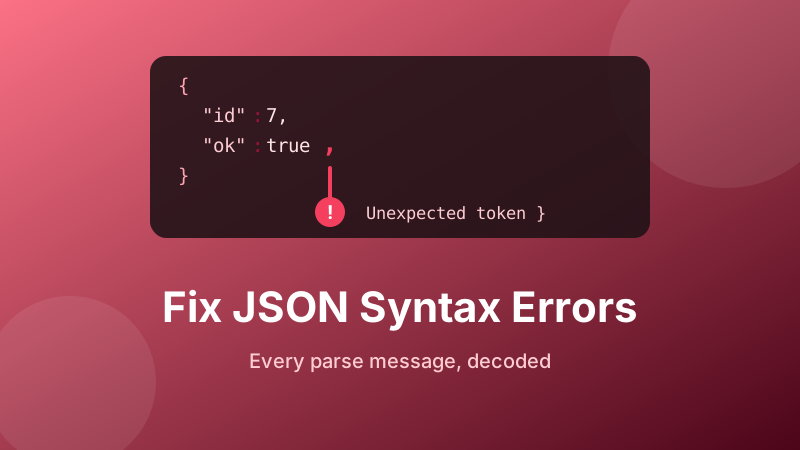
JSON parse errors have a reputation for being unhelpful, and it is deserved. Unexpected token < in JSON at position 0 tells you nothing about what you did wrong, and the position number it gives you usually points at a perfectly innocent character several hundred lines away from the actual mistake.
The good news is that there are only about a dozen distinct causes, and once you know how to read the message each one is a thirty-second fix. This guide decodes every error you are likely to see, explains the one thing about position numbers that trips everybody up, and gives you a method for finding the broken bracket in a file too big to read.
Find the error in seconds
Paste your JSON and the formatter validates it instantly, showing the exact parser message and pretty-printing valid documents so structure problems jump out. Runs in your browser — nothing is uploaded.
Open the free JSON Formatter →First: the position number is lying to you
This is the single most useful thing to understand about JSON errors. The reported position is where the parser gave up, not where the document went wrong.
A JSON parser reads left to right and only complains when it reaches something that cannot possibly be valid given what it has seen so far. Forget a closing brace on line 4, and everything after it still looks plausible — the parser assumes you are still inside that object and keeps reading. It only fails when it runs out of document, and reports the failure at the very last character.
So read the position as an upper bound: the real mistake is at or before it, never after. And when the position is the end of the file, the cause is almost always an unclosed bracket, brace or quote somewhere much earlier.
Newer versions of Chrome and Node.js improve on this considerably — their messages now include a line and column number plus a short snippet of the offending text, which makes the reported spot far easier to locate. Older runtimes, and many other languages, still give you only a raw character offset.
The error decoder
| Message | What actually happened |
|---|---|
Unexpected token < at position 0 | It is HTML, not JSON — an error page or login redirect |
Unexpected end of JSON input | Empty string, truncated response, or an unclosed bracket |
Unexpected token } or ] | Trailing comma before the closing bracket |
Unexpected token ' | Single quotes used instead of double quotes |
Expecting property name enclosed in double quotes | Python’s wording for an unquoted key or a trailing comma |
Unexpected non-whitespace character after JSON | Two documents concatenated, or JSON Lines fed to a plain parser |
Bad control character in string literal | A real line break or tab typed inside a quoted string |
Unexpected token N, u or I | NaN, undefined or Infinity where a number was expected |
| An error at position 0 on a file that looks fine | A byte order mark — invisible bytes at the start of the file |
The big one: you are not parsing JSON at all
If the error says Unexpected token < and the position is 0, stop looking at your JSON. The first character of the response was a less-than sign, which means you received an HTML document. The three usual reasons:
- The request failed and the server returned an error page. A 404, 500 or 502 from a web server or proxy is normally styled HTML, not JSON. Check the status code before parsing.
- You were redirected to a login page. The session expired, or the API key was missing, and the server bounced you to a sign-in form.
- The URL is wrong. A typo in the path makes a single-page app serve its own
index.htmlfor every unknown route, so you get the whole front end back as a string.
The diagnostic takes one line: log the raw response text before calling the parser. If it starts with <!doctype html>, the bug is in the request, not the JSON.
The seven rules that cause almost every other error
Standard JSON is much stricter than the JavaScript or Python it looks like. These are the rules people break:
- Double quotes only.
'name'is invalid;"name"is correct. This applies to keys and to string values alike. - Keys must be quoted.
{name: "Ada"}is valid JavaScript and invalid JSON. - No trailing comma. The comma after the final item of an object or array is an error, even though almost every programming language now permits it.
- No comments. There is no comment syntax in JSON at all. Editors that allow them are using a relaxed dialect such as JSONC or JSON5.
- Only real numbers.
NaN,Infinityandundefinedare not JSON values — usenullinstead. Leading zeros such as007and a leading plus sign are also invalid. - Escape what must be escaped. Backslashes and double quotes inside a string need a backslash in front of them, and line breaks must be written as
\nrather than typed. Our guide to JSON escape characters covers the full set. - One document per parse. Two objects side by side is not valid JSON. If your file has one object per line it is JSON Lines, and you have to split on newlines and parse each line separately.
The three errors that look like magic
A file that validates everywhere except in your code
This is usually a byte order mark. Some Windows editors and export routines write three invisible bytes at the start of a UTF-8 file. Your editor hides them, a browser hides them, but a strict parser sees an unexpected character at position 0. Re-save as “UTF-8 without BOM”, or strip the leading BOM character in code before parsing.
Bad control character in string literal
Someone pasted multi-line text — a log excerpt, a postal address, an SQL query — directly into a string value, so the string contains real newline characters. JSON forbids raw control characters inside strings. Replace each line break with \n and each tab with \t.
Smart quotes
JSON written in a word processor, a chat app or a CMS field often comes back with curly typographic quotes (“ ”) instead of straight ones. They look almost identical at normal font size and are completely different characters to a parser. If a document looks perfect but refuses to validate, zoom in on the quote marks.
How to find the fault fast
Rather than reading the file, let a validator do the reading:
- Open the JSON Formatter and paste the document in.
- Click Format. If it is valid you get clean indented output — and if the error was in how your code fetched or assembled the string rather than in the JSON itself, that alone tells you where to look next.
- If it is invalid, read the message against the decoder table above and jump to the reported position, remembering that the real fault is at or before it.
- For a structural error with no obvious cause, bisect: delete the bottom half of the document, close the open brackets by hand, and format again. Valid means the fault was in the half you deleted; invalid means it is in the half you kept. Four or five rounds of this narrows thousands of lines down to a handful.
- Once it validates, copy the formatted version back — consistent indentation makes the next mistake far easier to spot.
The other advantage of pretty-printing: a missing closing brace shows up visually, because everything after it is indented one level deeper than it should be. That is nearly impossible to see in a minified one-line document and obvious in a formatted one.
Stopping errors before they happen
Most invalid JSON is hand-written JSON. When you have a choice, do not type it — generate it. JSON.stringify() in JavaScript, json.dumps() in Python and their equivalents elsewhere handle quoting, escaping and commas correctly every time, including for awkward values such as Windows file paths and text containing quotes.
For config files you genuinely have to write by hand, format them before committing. The diff stays readable, the indentation stays honest, and a structural mistake announces itself the moment you paste it in.
Is the formatter private and free?
Yes. The Toolyard JSON Formatter parses and validates entirely inside your browser, using the browser’s own JSON engine. Nothing is uploaded to a server, which matters when the document you are debugging contains an API key, a customer record or a production config. There is no sign-up and no limit on how often you use it.
Validate your JSON now
Paste it in and get either the exact error or clean formatted output. Free, private, no account.
Open the JSON Formatter →FAQ
What does “Unexpected token < in JSON at position 0” mean?
The first character was a less-than sign, so you received HTML rather than JSON — typically an error page, a 404 or a login redirect. Log the raw response before parsing; the fix belongs in the request, not the JSON.
Why does the error position not match my mistake?
The position is where the parser gave up, not where the document broke. An unclosed brace on line 4 is only detected at the end of the file. Treat it as an upper bound and work backwards.
Can JSON have comments or trailing commas?
Neither. There is no comment syntax in JSON, and a comma after the last item of an object or array is invalid. Relaxed dialects like JSON5 and JSONC allow both, but standard parsers reject them.
My file looks perfect but still fails at position 0.
Almost certainly a byte order mark — three invisible bytes some Windows editors add to UTF-8 files. Save again as UTF-8 without BOM, or strip the leading character in code.
How do I find a missing bracket in a huge file?
Bisect it. Delete half the document, close the brackets, and validate. Whichever half still fails contains the fault. A few rounds reduces thousands of lines to a few.