How to Minify JSON
Published September 21, 2026
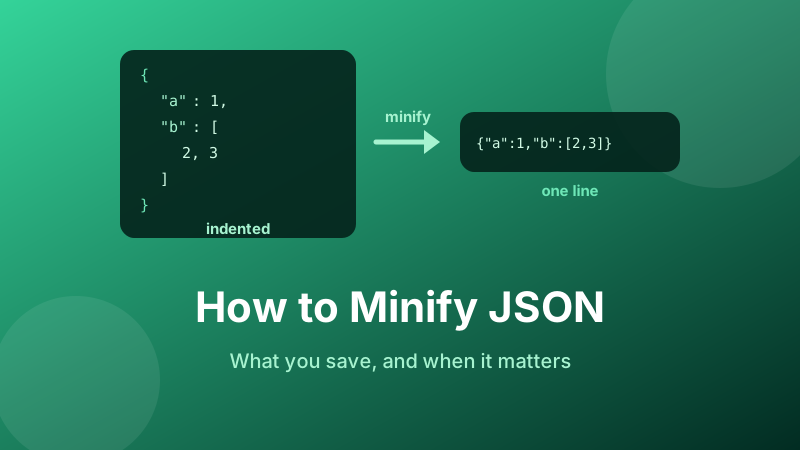
Minifying JSON is a one-click operation, which makes it tempting to treat as a free performance win. It is worth understanding what it actually does first, because in the single most common situation — JSON sent over HTTP from a server that already compresses its responses — the benefit is close to nothing, while in a handful of other situations it is the difference between a feature working and failing outright.
Here is exactly what minifying changes, how much it really saves, where it matters, and how to do it.
Minify your JSON now
Paste it in and hit Minify for a single compact line, or Format to expand it again. Both directions, instantly, inside your browser — nothing is uploaded.
Open the free JSON Formatter →What minifying actually changes
Minifying removes whitespace between tokens and nothing else. Spaces, tabs and line breaks that sit between braces, keys, colons, values and commas all disappear, leaving one long line.
Take this formatted document:
{
  "name": "Ada Lovelace",
  "roles": [
    "engineer",
    "writer"
  ],
  "active": true
}
Minified, it becomes:
{"name":"Ada Lovelace","roles":["engineer","writer"],"active":true}That is 93 bytes down to 67 — about 28% smaller. Three things did not happen, and they matter:
- Nothing inside a quoted string was touched. The space in
"Ada Lovelace"is part of the data, so it stays. Only whitespace outside strings is structural. - No keys were shortened and no values changed. Minifying is not obfuscation and not lossy compression.
- The parsed result is identical. Feed both versions to a parser and you get exactly the same object. The operation is fully reversible — pretty-print the minified line and you are back where you started.
How much do you actually save?
There is no universal figure, because the saving is a ratio between your structural characters and your data. Two things drive it:
| Shape of your data | Whitespace share |
|---|---|
| Deeply nested, short keys and values, 4-space indent | High — indentation can rival the data itself |
| Array of small flat objects, 2-space indent | Moderate |
| Long text values, few keys, shallow nesting | Low — often only a few per cent |
The reason is simple arithmetic: every level of indentation costs two or four bytes on every line, so cost scales with nesting depth and line count, not with how much data you actually have. A configuration file six levels deep with one-word values is mostly spaces. A product catalogue where each record holds a paragraph of description is mostly text.
The only reliable answer is to measure your own file. Paste a representative sample into the formatter, minify it, and compare the two sizes.
The gzip catch that most guides skip
This is the important part. If your JSON travels over HTTP from a properly configured server, it is already being compressed with gzip or Brotli — and indentation is precisely the kind of thing compression eliminates.
Compression works by replacing repeated sequences with short references. A document containing thousands of identical runs of “newline plus six spaces” gives a compressor an enormous, highly repetitive pattern to collapse. By the time the response reaches the browser, most of that whitespace has cost almost nothing to send.
The practical consequence: minifying before compressing typically shaves only a small extra percentage off the transferred bytes. If you are weighing up whether to minify an API response, the far bigger question is whether compression is switched on at all. Turning on Brotli or gzip is worth many times more than minifying, and if it is already on, minifying is a rounding error.
Note the one thing gzip does not fix: the uncompressed size still governs memory use and any size limits that are checked before compression.
Where minifying genuinely matters
Every one of these involves storing or embedding JSON somewhere with a hard limit, where nothing is compressing it for you:
- Browser storage.
localStoragegives you roughly 5 MB per origin and stores raw strings with no compression. Whitespace eats straight into that quota. - URLs and query parameters. Practical URL length limits are a few thousand characters, so passing state as JSON in a link means every byte counts. Encoding it makes this worse, because each space becomes three characters once percent-encoded.
- QR codes. Capacity is fixed and modest. Beyond a certain payload the code gains modules and becomes harder to scan, so minifying can be what keeps a code readable. If you are encoding structured data this way, our QR code generator shows the effect immediately.
- Message and payload size limits. Queues, webhooks, serverless event payloads and database column limits usually measure the raw string.
- Log lines. Structured logging wants one event per line, so minifying is not an optimisation but a requirement.
- Embedded configuration. JSON pasted into an environment variable, a data attribute or an inline script tag.
Bigger wins than minifying
If a payload is genuinely too large, whitespace is rarely the real problem. These changes shrink data rather than formatting:
- Drop fields nobody reads. The single biggest saving in most APIs is returning fewer keys, not spacing them tighter.
- Omit nulls and empty values instead of sending
"middle_name":nullon every record. - Shorten repeated key names. In an array of 50,000 records, every key name is stored 50,000 times. Renaming
customer_identifiertocidcan beat minifying by a wide margin — at the cost of readability, so do it only where the volume justifies it. - Use arrays for uniform records. A header row plus arrays of values removes the key names entirely. This is essentially what CSV does, and for flat tabular data converting to CSV is often the honest answer.
- Paginate. Not sending data at all beats compressing it.
How to minify JSON in your browser
- Open the JSON Formatter.
- Paste your JSON into the top box, or drop a file in.
- Click Minify. If the document is invalid you get the parser error instead — which is itself useful, since a minifier that silently passes broken text through would just hide the problem.
- Click Copy result and paste the single line wherever it needs to go.
- To go back the other way, paste the minified line in and click Format.
Because it parses and re-serialises the document rather than deleting characters with a search-and-replace, spaces inside your string values are safe. A naive find-and-replace of spaces would corrupt every name, address and sentence in the file.
When not to minify
Do not minify files that humans edit or review. A minified file is one enormous line, so a version control diff shows the whole file as changed even for a one-character edit, code review becomes impossible, and merge conflicts become unresolvable.
The clean split: keep the formatted version in source control, and minify at build or export time. People read the readable file; machines receive the compact one. And if you inherit a minified config that you now need to edit, format it first — that is exactly the job the same tool does in reverse.
Is it private and free?
Yes. The Toolyard JSON Formatter minifies and formats entirely inside your browser, so your document is never uploaded — which matters when it holds API keys, tokens or customer data. No sign-up, no size cap beyond what your own device can handle, and it keeps working offline once loaded.
Minify or expand, both instantly
One click each way, with validation built in. Free and private.
Open the JSON Formatter →FAQ
What does minifying JSON do?
It strips every space, tab and line break between tokens so the document becomes one line. Text inside quoted strings is untouched, no keys are renamed, and the parsed result is identical.
How much smaller will my file get?
Anywhere from a few per cent to roughly a third, depending on nesting depth, indent width and how long your values are. Measure your own sample rather than trusting an average.
Does it still help if the server uses gzip?
Barely. Repeated runs of spaces are exactly what compression removes, so minifying on top adds only a small extra saving. Enabling compression matters far more.
Is minified JSON still valid?
Completely. Whitespace between tokens is optional in the specification, and the change is reversible — pretty-print it and you are back to the readable version.
Should minified JSON go into git?
No. One giant line makes every diff look like a full rewrite. Commit the formatted file and minify during your build or export step.