How Long Should a Password Be?
Published September 27, 2026
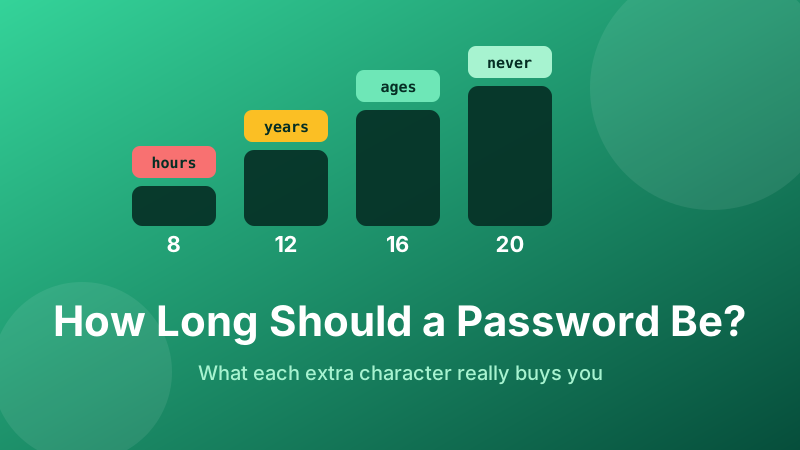
The short answer is 16 random characters. That is the length at which guessing your password stops being a practical attack, and the point where making it longer buys you very little against anything an attacker can actually do.
But "16" on its own is a number to memorise, not something to understand. Below is where it comes from, what each extra character is really worth, and the two situations where you should go longer or can get away with less.
Generate a 16-character password
Pick a length, choose your character sets, and get a genuinely random password. It is created in your browser and never sent anywhere.
Open the Password Generator →Length is multiplication, complexity is addition
Every password lives inside a space of possibilities. The size of that space is the alphabet size raised to the power of the length. Lower-case letters only gives you an alphabet of 26. Add upper case and you are at 52. Add digits, 62. Add the symbols on a standard keyboard and you reach about 94.
The critical detail is where the exponent sits. Widening the alphabet changes the base once. Adding a character changes the exponent, which multiplies the entire space again. Concretely:
- 12 lower-case characters: 2612 ≈ 9.5 × 10¹⁶
- 12 mixed characters with symbols: 9412 ≈ 4.8 × 10²³
- 16 lower-case characters: 2616 ≈ 4.4 × 10²²
- 16 mixed characters with symbols: 9416 ≈ 3.7 × 1031
Four extra lower-case letters took us from 1016 to 1022 — a million-fold gain, almost as much as switching to the full symbol alphabet. And in the mixed case, those same four characters bought eight more orders of magnitude. This is the whole reason modern guidance leads with length: it is the lever with the most travel, and it is the one people can actually follow without writing a sticky note.
The numbers in bits, which is how security people talk
Because these figures get unwieldy, cryptographers count bits of entropy — the base-2 logarithm of the number of possibilities. Each bit doubles the work. Here is the table that matters, for randomly generated passwords using all four character sets:
- 8 characters — about 52 bits. Searchable. Treat as broken.
- 12 characters — about 79 bits. Serious, but the margin is thinner every year.
- 16 characters — about 105 bits. Comfortably beyond brute force.
- 20 characters — about 131 bits. Overkill for most accounts, correct for a few.
- 24+ characters — the password is no longer the weak point in any scenario.
The rough consensus is that around 80 bits is where an offline attack against a well-hashed password becomes economically silly, and around 100 bits is where it becomes physically silly. Sixteen characters clears both, with room for the site having chosen a mediocre hash algorithm.
Why 8 characters is now worthless
Eight characters became the default in an era when a determined attacker had a desktop CPU. Today, a single rented graphics card chews through billions of guesses per second against fast hash functions, and a rack of them multiplies that. An eight-character keyspace is not "hard"; it is a finite list that gets enumerated.
Worse, the attack almost never starts from scratch. Cracking tools begin with leaked password lists containing billions of real, previously-used passwords, then apply rules that mimic what humans do — capitalise the first letter, append a year, swap a for @, add an exclamation mark. A human-made eight-character password usually falls to those rules long before brute force is needed. That is why Summer2026! is ten characters and still terrible.
How long to go, by account type
Length has a cost in friction, so spend it where it matters. A practical allocation:
- Password manager master password, 20–25 characters (or a six-word random passphrase). This one key protects everything else and you type it often enough to learn it, so make it long and make it memorable rather than random-looking.
- Email account, 20 characters. Email is the reset path for every other account, which makes it the real crown jewel. Attackers know this.
- Banking, payments, government, work SSO: 20 characters, plus two-factor authentication, always.
- Everything with your money, data or reputation in it: 16 characters. Shopping, cloud storage, social media, domain registrar, hosting.
- Throwaway logins for forums and one-off downloads: 12–16 characters. Still generated, still unique — a breach here is only harmless if the password is used nowhere else.
Note what is missing from that list: any case for reusing a password because the account "does not matter". The reason to generate even for a throwaway forum is that the forum's database is the thing most likely to leak, and credential-stuffing tools will try that email-and-password pair against your bank within hours.
Where the maths stops applying
Every figure above assumes the password is random. Entropy measures unpredictability, not character count, and a password you invented has far less of it than its length suggests. Ilovemydogmax2019 is 17 characters and would be guessed quickly, because language, names and years are exactly what cracking rules model.
This is the practical argument for using a generator rather than your imagination: it is the only way to make the length figure honest. A tool sampling from a cryptographic random source gives you every bit the table promises. Your brain, reaching for something it can remember, does not — it reaches for patterns, and patterns are what the attacker is searching first.
Length limits, and what to do about them
You will hit sites that cap passwords at 16, 12 or even 10 characters, or that silently truncate anything longer — which produces the maddening bug where the password you set works but the one you typed does not. If a site caps you short:
- Use the full length it allows, with every character set it accepts.
- Turn on two-factor authentication there if it is offered, since the password alone is doing less work than you would like.
- Never let that shortened password be a variant of one you use elsewhere.
A low cap is also a signal. Sites that store passwords properly have no reason to limit length, because hashing turns any input into a fixed-size value. A 10-character maximum hints at a database column holding something it should not.
Is generating a password in a browser private?
With the Toolyard generator, yes. The password is produced locally by your browser's cryptographic random number generator and is never uploaded — there is no server involved, no account, and nothing to log. Once the page has loaded you can disconnect from the internet entirely and it still works. The password exists only on your screen and in whatever you paste it into.
Stop guessing at length
Drag the slider to 16, hit generate, and paste the result into your password manager. Free, private and no sign-up.
Open the Password Generator →