Favicon Sizes: Which Ones You Actually Need
Published September 17, 2026
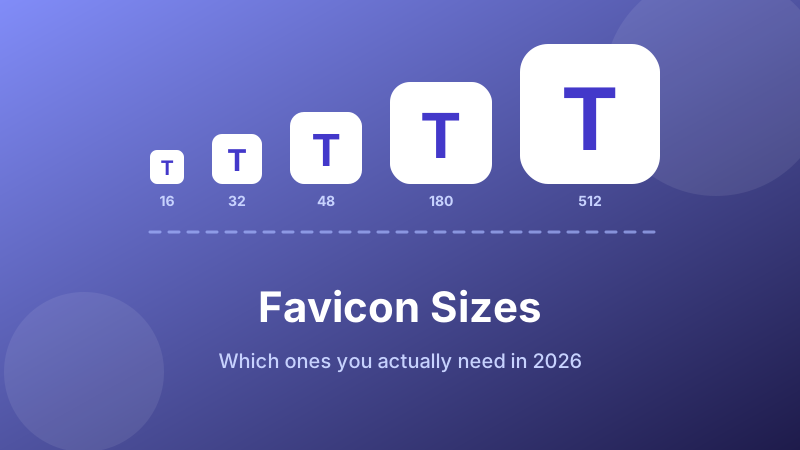
Search “favicon size” and you get a different answer every time: 16×16, 32×32, 48×48, 180×180, or a list of nineteen files that some generator produced back in 2014. The confusion is real, but the underlying situation is simple. There is no single favicon size — there is a small set of jobs, each wanting a different pixel count, and the browser picks the closest match from whatever you declare.
Here is what each size is actually for, which ones matter in 2026, and the short list that covers every browser and phone without shipping a folder of junk.
Generate the whole set in one go
Drop in one square image and get 16, 32, 48, 64, 180, 192 and 512 px PNGs plus the HTML to paste — free, and the file never leaves your browser.
Open the free Favicon Generator →The sizes, and what each one does
| Size | Used for | Needed? |
|---|---|---|
| 16×16 | Browser tab and address bar on standard-density screens; bookmark lists | Yes |
| 32×32 | The same places on high-density (Retina) screens; Windows taskbar shortcuts | Yes |
| 48×48 | Google Search results; Windows desktop shortcuts | Recommended |
| 64×64 | Larger shortcut tiles and some browser start pages | Optional |
| 180×180 | apple-touch-icon — iPhone and iPad home screen | Yes |
| 192×192 | Android home screen and web app manifest | Yes |
| 512×512 | Splash screens and install prompts for installable web apps | Yes, if installable |
That is seven files, and it is genuinely all you need. Older guides list sizes like 57, 72, 114 and 144 pixels for iOS versions that have not shipped in a decade, plus a block of Windows 8 tile metadata. Modern iOS scales the 180 px icon down perfectly well, and the tile markup is dead weight.
16 and 32: the tab icon
This is the one people mean by “favicon”. It appears in the tab strip, the address bar dropdown, the bookmark bar and the history list. A tab renders it at 16 CSS pixels — which on a normal display means 16 real pixels, and on a Retina or 4K display means 32.
So you want both. If you only ship 512×512, the browser downscales it on every device, and fine detail smears: thin strokes turn into grey haze, small lettering becomes an unreadable smudge. Supplying a real 16×16 at least gives you control over the result.
The honest advice at this size is do not use your full logo. Sixteen pixels is roughly the area of one letter of body text. A wordmark is illegible there; a detailed illustration becomes a coloured blob. Use a single letter, a simple monogram, or the one distinctive shape from your logo, in high contrast against a plain background. Judge it by looking at the tab from normal viewing distance, not zoomed in on a preview.
48: the one Google wants
Google Search shows a favicon next to your result on mobile, and it is fussy about the file. The documented requirement is a square icon that is a multiple of 48 pixels — 48×48, 96×96, 144×144 and so on — with an absolute minimum of 8×8. It also has to live on a URL Googlebot can crawl, so an icon behind a login or blocked in robots.txt simply will not appear.
Including a 48×48 costs nothing and removes one reason for a blank square in search results. Note that Google decides for itself whether to display an icon at all, and changes can take days or weeks to show up after a recrawl — so do not panic if a new one is missing the same afternoon.
180: the Apple home screen icon
When someone taps Add to Home Screen on an iPhone or iPad, iOS looks for <link rel="apple-touch-icon">. The current target is 180×180, which covers the largest iPhone screens; iOS scales it down for smaller devices and for iPads.
Two rules matter here, and both trip people up:
- No transparency. iOS composites a transparent PNG onto black. A dark logo on a transparent background becomes a black square with an invisible logo on it. Give this file a solid background colour.
- No rounded corners of your own. iOS applies its own corner radius and mask. Round the corners yourself and you get a double-rounded icon with pale notches in the corners. Supply a full square.
There is more detail on the Apple and Android side in our guide to apple-touch-icon and PWA icon sizes.
192 and 512: Android and installable apps
Android and Chrome read icons from the web app manifest rather than from <link> tags. The convention is 192×192 for the home screen shortcut and 512×512 for splash screens and install prompts.
If your site is a plain marketing site or blog with no manifest, these are optional — Android falls back to the largest icon it can find. If you have a manifest, or think you might add one, generate them now so the filenames line up later rather than doing the whole job twice.
How to generate every size in one pass
You do not need image editing software for this. Toolyard’s generator produces the whole set from one source file, entirely inside your browser:
- Prepare a square source image, ideally 512×512 or larger. A non-square image gets centre-cropped, so anything near the edges is cut off.
- Open the Favicon Generator and drop the file in.
- It renders 16, 32, 48, 64, 180, 192 and 512 px PNGs instantly. Look at the 16 px preview first — if the mark is unreadable there, simplify the source and try again.
- Download the sizes you want and upload them to your site’s root folder.
- Copy the generated
<link>tags and paste them into your<head>.
Because each browser downloads only the size it needs, declaring seven does not make your page heavier than declaring one.
PNG or ICO?
Every browser in current use reads PNG favicons, and PNG is what you should declare. The one job favicon.ico still does is act as a silent fallback: browsers request /favicon.ico at your site root even when no link tag mentions it, which is why a stray old icon file can keep haunting you after a redesign. The full comparison is in ICO or PNG for your favicon.
Is it private and free?
Yes. The Toolyard Favicon Generator resizes your image using the browser’s own canvas, so your logo is never uploaded to a server — which matters when the artwork is an unreleased brand. There is no sign-up, no watermark and no limit on how many sets you make.
Make your icon set now
One square image in; seven correctly sized PNGs and the HTML out. Free, private, no account.
Open the Favicon Generator →FAQ
What size should a favicon be?
There is no single size. 16 and 32 px cover browser tabs, 48 px suits Google Search, 180 px is the iOS home screen icon, and 192 with 512 px serve Android and installable apps. Generate them all from one square source.
Do I still need a 16×16?
Yes — standard-density screens render tabs at 16 real pixels. Shipping one stops the browser downscaling a detailed 512 px file into grey mush, and lets you simplify the mark if it needs it.
What does Google Search need?
A square icon that is a multiple of 48 px (48, 96, 144…), at least 8×8, on a crawlable URL that is not blocked by robots.txt. Google still chooses whether to show it, and updates can take weeks.
Can I just use one large PNG?
It will work, but every visitor downloads a 512 px file to display a 16 px icon, and you lose all control over how it looks at tab size. Declaring several sizes lets each device fetch only what it needs.
Transparent background or not?
Transparent is good for tab icons, which sit on the browser’s own light or dark chrome. It is bad for the 180 px Apple icon, because iOS composites transparency onto black — give that one a solid background.