Favicon: ICO or PNG?
Published September 17, 2026
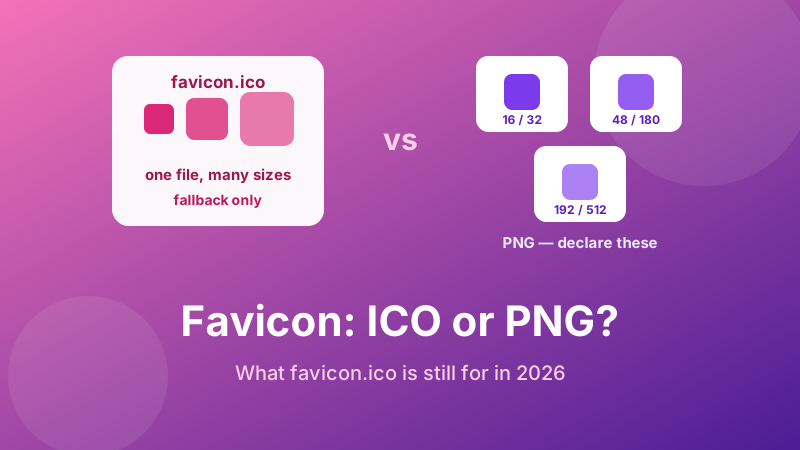
Half the tutorials online tell you a favicon must be favicon.ico in the root folder. The other half tell you ICO is obsolete and PNG is the only sane choice. Both are describing something true, just at different times, which is why the advice feels contradictory.
Here is the state of play in 2026: declare PNG, and keep one favicon.ico at the root if you want belt and braces. The rest of this explains why, and what the old format is still quietly doing.
Generate PNG favicons in seconds
One square image in; 16, 32, 48, 64, 180, 192 and 512 px PNGs plus the HTML out. Free, and nothing is uploaded.
Open the free Favicon Generator →Where favicon.ico came from
ICO is a Microsoft format from the Windows desktop icon era. Internet Explorer 5 introduced favicons in 1999 with a beautifully lazy design: there was no markup at all. The browser just requested /favicon.ico from the site root and drew whatever came back.
That convention never went away. Browsers still request /favicon.ico on their own, whether or not you ever mentioned it — which is why an empty site logs 404s for a file nobody linked to. It is also why the format still matters despite being older than most of the web.
What ICO is actually good at
ICO is a container. A single .ico file can hold several images at different sizes — typically 16, 32 and 48 pixels — and the browser picks the one it needs. Each version can even be drawn differently: a detailed 48 px rendering and a hand-simplified 16 px one, in one file.
That was a real advantage when browsers only looked at one favicon URL. Today you get the same result with separate PNG files and sizes attributes, and the PNGs are easier to create, easier to inspect, and easier to replace one at a time. The container is no longer solving a problem you have.
Why PNG wins for everything you declare
- Universal support. Every browser in current use reads PNG favicons. This has not been a compatibility question for many years.
- Any size you like. ICO in practice tops out around 256 px. You need 512 px for app install prompts, and that has to be PNG anyway — so a site using ICO alone ends up mixing formats regardless.
- Proper transparency. PNG alpha is clean at every edge. ICO supports transparency too, but older tooling produces jagged or fringed edges.
- Ordinary tooling. Any image editor, any viewer, any CDN understands PNG. ICO needs a converter, which is precisely why people end up renaming files and breaking things.
- One size per request. A browser fetches only the PNG it needs. A multi-size ICO ships every version to every visitor.
So why keep a favicon.ico at all?
Two reasons, both about things that never read your HTML.
Automatic requests. Feed readers, link previewers, older crawlers and some embedded browsers skip your <head> entirely and just ask for /favicon.ico. A file at that exact path gives them something, and stops the 404s cluttering your server logs.
The ghost problem. This one bites people during redesigns. Because browsers fetch that path on their own, a leftover favicon.ico from an old theme can keep appearing, or flicker against your new icon. WordPress themes, static site generators and hosting templates all drop one in without announcing it. If you are not deliberately maintaining that file, delete it — an absent file is much less confusing than a stale one. Check by visiting yoursite.com/favicon.ico directly; if an old logo appears, you have found the culprit. More diagnosis in favicon not showing.
What about SVG favicons?
Modern Chrome, Edge and Firefox support <link rel="icon" type="image/svg+xml" href="/icon.svg">. It is appealing: one tiny file, sharp at every size, and with a media query inside the SVG it can even switch colours for dark mode.
Two caveats keep it from being the whole answer. Support is not universal — Safari in particular is inconsistent — so an SVG needs PNG fallbacks beside it rather than replacing them. And an SVG favicon cannot pull in external fonts or images, so any text has to be converted to paths before export or it will render in a fallback font, or not at all.
Reasonable position: SVG is a nice enhancement, PNG is the dependable base.
Never rename a PNG to .ico
It is tempting and it does not work. Renaming changes the extension, not the bytes — the file is still a PNG wearing an ICO label. Some browsers sniff the content and render it anyway; others check the header, decide the file is malformed, and show nothing.
The result is the classic “works in Chrome, blank in Safari” report that sends people hunting through their CSS for hours. If you need a real ICO, convert it properly. If you do not, use PNG and declare it correctly.
The recommendation
| Format | Verdict |
|---|---|
| PNG (16, 32, 48, 180, 192, 512) | Declare these. The dependable base for every browser and device. |
ICO at /favicon.ico | Optional fallback for tools that never read your HTML. Keep it current or delete it. |
| SVG | Nice extra for sharpness and dark mode. Never a sole icon. |
| PNG renamed to .ico | Never. Silent breakage in some browsers. |
How to generate the set
- Start from a square source image, 512 px or larger. Non-square input is centre-cropped.
- Open the Favicon Generator and drop it in.
- It produces 16, 32, 48, 64, 180, 192 and 512 px PNGs instantly. Check the 16 px preview — if the mark is unreadable, simplify and retry.
- Upload the files to your site root and paste the supplied
<link>tags into your<head>. - Visit
yoursite.com/favicon.icoand delete any old file lurking there.
Which sizes matter and why is covered in favicon sizes, and the mobile-specific rules in apple touch icon size.
Is it private and free?
Yes. The Toolyard Favicon Generator resizes your image with the browser’s own canvas, so your artwork is never uploaded to a server — unlike most favicon sites, which take your logo, process it on their machines and hand it back with a sign-up prompt. No account, no watermark, no limit.
Skip the format argument
Generate correctly sized PNGs and the matching HTML in one step, then delete the old ICO and move on.
Open the Favicon Generator →FAQ
ICO or PNG?
Declare PNG. Every current browser supports it, you get one optimised file per size with clean transparency, and 512 px app icons have to be PNG anyway. Keep ICO only as a root-level fallback.
Do I still need favicon.ico?
Not if you declare PNGs, but browsers request it automatically, so it catches tools that never read your HTML. More importantly, delete any leftover one — a stale file can override your new icon.
What is ICO actually good for?
It is a container holding several sizes in one file, which mattered before browsers read multiple PNG link tags. Separate PNGs now give the same result and are far easier to manage.
Can I use an SVG favicon?
Yes in Chrome, Edge and Firefox, and it can even switch colour in dark mode — but support is not universal, so keep PNG fallbacks. Convert any text to paths, as external fonts will not load.
Can I rename a PNG to .ico?
No. The extension changes but the file does not, so some browsers render it and others show nothing — the classic “fine in Chrome, blank in Safari” bug.