Do QR Codes Expire?
Published September 14, 2026
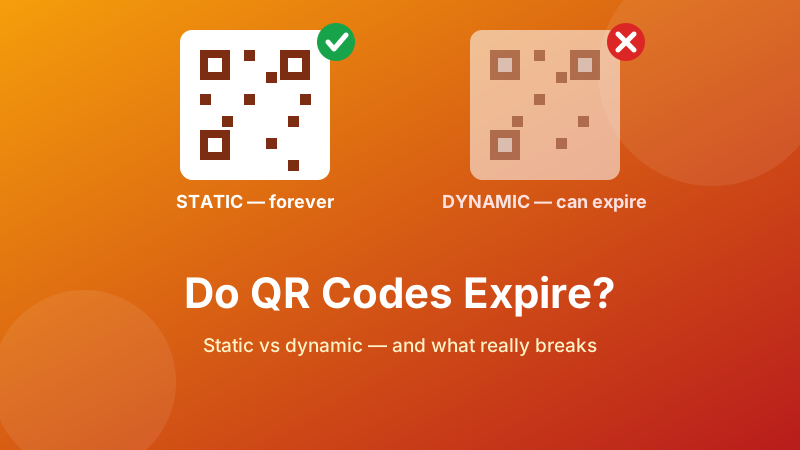
You printed a thousand flyers. Six months later somebody says the code does not work. Before you reprint anything, it is worth knowing what actually happened — because a QR code, in itself, has no expiry date and no way to acquire one.
The short answer: a static QR code never expires. A dynamic one can, and often does. The difference is not visible in the printed square, which is exactly why people get caught out. Here is how to tell which you have, what really breaks, and how to choose so this does not happen again.
Make a static code that never expires
Your link is baked straight into the pattern — no redirect, no account, nothing to renew. Generated in your browser and free forever.
Open the free QR Code Generator →Why a static code cannot expire
A QR code is not a link to some stored record. It is the information, drawn as squares. When your phone camera decodes the pattern, it reads text directly out of the geometry — there is no lookup, no database, and no server involved in the decoding at all.
Point your camera at a static code containing https://yoursite.com/menu and the phone reads exactly that string, whether it is 2026 or 2046, whether the generator that made it still exists, and whether or not you are online at the time. No company can switch it off, because no company is part of it. Turn off your phone's data and the code still decodes — you just cannot open the page afterwards.
This is why a static code printed on a product ten years ago still reads perfectly today. The pattern is the payload.
Why a dynamic code can
A dynamic QR code does not contain your destination. It contains a short link on the provider's own domain — something like qr-example.co/a7Xk2. When someone scans it, their phone goes to that address, the provider's server looks up where it is supposed to send them, and forwards them on.
That middle step buys you two things: you can change the destination after printing, and the provider can count scans. It also inserts a company between your customer and your page, and that company can:
- End your free trial. The most common failure by far. Codes made with a “free” dynamic plan often stop redirecting after 7, 14 or 30 days, or after a scan quota.
- Start charging for a code that was free when you printed it, with your flyers as leverage.
- Go out of business or retire the domain, taking every code they ever issued with it.
- Insert an interstitial page with adverts or a data-capture form between the scan and your site.
- Log every scan — time, rough location, device — which is the product you are paying for, but also data you are handing over about your customers.
None of this shows up in the printed square. The code looks fine. It just no longer goes anywhere useful.
How to tell which one you have
Thirty seconds with a phone settles it:
- Point your camera at the code but do not tap through yet.
- Read the address in the preview banner your phone shows.
- If it is your own address —
yoursite.com/menu, or the plain text you typed — the code is static. Nothing to renew. - If it is a short unfamiliar domain with a random string after it, your scan is being routed through someone else's server. The code is dynamic.
Two more tells: if you had to create an account to generate the code, or if the site offered you a scan-statistics dashboard, it was dynamic. Free generators that require sign-up are usually free in exactly the way that becomes expensive later.
One caveat — a static code that happens to contain a link from a shortening service you chose yourself is also dependent on that service. The redirect is the risk, wherever it comes from.
So why did my code stop working?
If you have confirmed the code is static, the pattern is almost never the problem. Work down this list instead:
- The destination page moved or was deleted. The code still reads the same address perfectly; that address now returns an error. Fix the page or set up a redirect on your own site — no reprint needed.
- The domain expired. Same effect, worse cause. Renew it.
- It was dynamic and the plan lapsed. Nothing to do but reprint, this time with a static code.
- Physical damage. A crease through the pattern, a price sticker over a corner, sun-fading, or a scuff on a laminated menu. Error correction absorbs a surprising amount of this, but not everything.
- Printed too small, or with no quiet zone. If it never worked reliably from day one, this is usually why — see our guide on QR code size for printing.
- Glare. A code on glossy stock or behind a shiny laminate can be unreadable under one light and fine under another. Users read this as “the code expired”.
- Low contrast. A pale or coloured code on a busy background, or an inverted light-on-dark code, fails on many phones.
Reprinting? Make it static this time
Paste your link, download a clean PNG, print it. There is no account, no watermark and nothing that can be switched off later.
Generate a permanent QR code →Static versus dynamic, side by side
| Static | Dynamic | |
|---|---|---|
| Can it expire? | No | Yes — if the plan or provider ends |
| Cost | Free, permanently | Usually a monthly subscription |
| Change destination after printing | No | Yes |
| Scan statistics | No | Yes |
| Depends on a third party | No | Yes — every single scan |
| Works offline at the point of scan | Decodes offline | Needs the redirect server |
| Pattern density | Matches your text length | Low — short links make simple codes |
That last row is the one honest technical advantage of dynamic codes: because a short link is only about twenty characters, the pattern is coarse and easy to scan even when printed small. If your destination URL is enormous, that gap is real — but you can close it yourself by making a short, tidy link on your own domain.
Which should you use?
Static is right for almost everything:
- A link to your website, shop, booking page or Google review page
- A restaurant menu hosted on your own site — update the page, not the code
- Wi-Fi credentials for guests
- Contact details on a business card
- Event tickets, packaging, signage, labels, anything printed once and used for years
Dynamic earns its subscription only when:
- The destination genuinely must change after printing and you cannot control the landing page — for example a seasonal promotion on packaging already sitting in warehouses
- You need per-code scan analytics for a paid campaign, and that data actually informs a decision
- You are running A/B tests or routing by country
And note the middle ground that gets overlooked: a static code pointing at a page you own gives you most of the flexibility. Print a static code for yoursite.com/menu, and you can change everything on that page forever — even redirect it elsewhere — without touching the code, without a subscription, and without a third party in the path. If you want scan counts, your own site's analytics will show visits to that page.
Is it private and free?
Toolyard's QR Code Generator makes static codes only, on purpose. Your link or text is encoded inside your browser and never sent to a server, there is no account, no watermark and no expiry, and no redirect sits between your customer and your page. Nothing about the code can be revoked later, because nobody — including us — has anything to revoke.
FAQ
Do QR codes expire?
Static ones do not — the data lives in the printed pattern, with no server or subscription involved. Dynamic ones can, because they contain a short link owned by a service that can end your plan, add adverts or shut down.
How do I tell which kind I have?
Scan it and read the address before tapping. Your own address means static; an unfamiliar short domain with a random code means dynamic. Needing an account to create it, or having a scan dashboard, means dynamic too.
Why did my code stop working?
Usually the destination, not the code: a moved or deleted page, an expired domain, or a lapsed dynamic plan. Physically, a crease, a sticker, glare on glossy stock, or a code printed too small or with no clear margin.
Are free QR generators safe for printing?
Yes if the code is static and contains your destination directly. Risky if the “free” code is quietly dynamic and routed through the provider's domain. Scan the finished code and check whose address appears.
When is dynamic actually worth paying for?
When the destination must change after printing and you do not control the landing page, or when you need per-code scan analytics for a paid campaign. Otherwise a static code pointing at a page you own does the same job for free.