SHA-256 Explained: What a Hash Is and How to Generate One
Published July 31, 2026
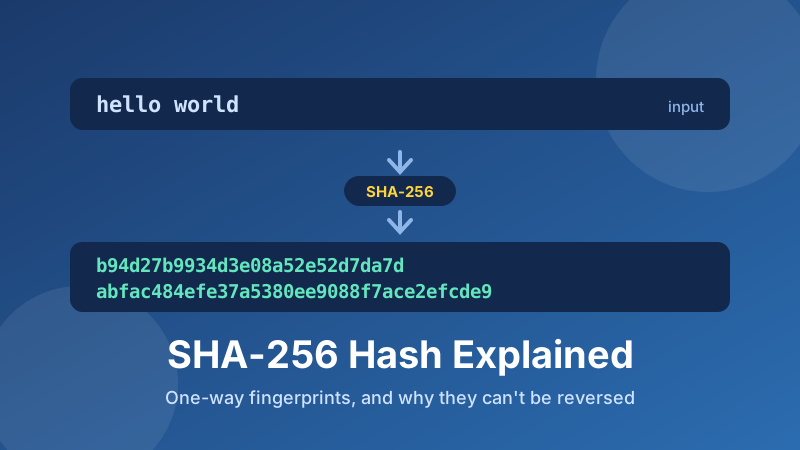
You've seen them on download pages, in Git commits, next to software releases: a 64-character run of letters and numbers labelled SHA-256. It looks like gibberish, and in a sense it is — deliberately. A hash is a fingerprint for data, and its whole value comes from being impossible to work backwards from. This guide explains in plain English what a SHA-256 hash is, why it can't be reversed, how it differs from encryption, where you'll actually use one, and how to generate one in seconds.
Generate a hash right now
Type or paste any text and watch the SHA-1, SHA-256 and SHA-512 digests appear as you type. It runs in your browser — your text is never uploaded.
Open the SHA Hash Generator →What a hash is
A hash function takes any input — three letters, a novel, a 4 GB video file — and produces a fixed-length string called a digest. SHA-256 always produces 256 bits, written as 64 hexadecimal characters. Feed it one character or one gigabyte and the output is exactly the same length.
Two properties make that useful. First, it's deterministic: the same input always produces the same digest, on any computer, in any year, in any programming language. Second, it's one-way: given the digest, there is no practical method to recover the input. The function isn't a lock with a key; it's more like a paper shredder that always produces exactly the same confetti pattern for the same document.
Try it and you'll see the third property immediately. Change a single character of your input — even change a capital letter to lowercase — and the digest doesn't shift slightly. It changes completely, every character unrecognisable. That's the avalanche effect, and it's what makes a hash a reliable check on whether data has been altered: there's no such thing as a "close" match.
A hash is not encryption
This is the confusion worth clearing up, because it causes real mistakes. Encryption is two-way. You encrypt data with a key so that someone holding the right key can decrypt it and get the original back. The whole point is recovery.
Hashing is one-way and there is no key. The original is gone. You can't decrypt a SHA-256 digest, not because the tools are missing but because the information genuinely isn't there — a 4 GB file has been reduced to 32 bytes, so most of it was necessarily discarded.
So if you see a site offering to "decrypt" a SHA-256 hash, what it's really doing is looking the digest up in a giant table of pre-computed hashes of common inputs. That works fine for password123. It does nothing for a long, unusual string. The lookup isn't reversing the maths — it's guessing, quickly.
Where you'll actually use one
- Verifying a download. A project publishes the SHA-256 of its installer. You hash the file you downloaded and compare. Matching digests mean the file arrived intact and wasn't tampered with in transit.
- Storing passwords. Well-built systems never store your actual password — they store a hash of it. At login they hash what you typed and compare digests, so a database breach doesn't hand attackers your password directly. (Real password storage adds a random salt per user and uses a deliberately slow function like bcrypt or Argon2; plain SHA-256 is too fast for the job on its own.)
- Detecting changes. Hash a config file today and next month; identical digests prove nothing changed, byte for byte.
- Deduplication. Two files with the same SHA-256 are, for all practical purposes, the same file — which is how backup and storage systems avoid keeping duplicates.
- Git and blockchains. Every Git commit is identified by a hash of its contents, and each block in a blockchain contains the hash of the one before it — which is why the history can't be quietly rewritten.
- Digital signatures and certificates. Signing a document really means signing its hash, which is why the same signature scheme works for a one-page PDF and a huge archive.
SHA-1, SHA-256 or SHA-512?
The number is the digest length in bits, and the differences matter:
- SHA-1 — 160 bits, 40 hex characters. Broken for security purposes. Researchers demonstrated a practical collision in 2017, meaning two different inputs producing the same digest. Fine for a non-security checksum or for reading legacy data; never use it to protect anything.
- SHA-256 — 256 bits, 64 hex characters. The modern default. No practical attack exists, it's fast, and it's what TLS certificates, Bitcoin and most software checksums use. When in doubt, this is the answer.
- SHA-512 — 512 bits, 128 hex characters. Same family, longer digest, and often faster than SHA-256 on 64-bit processors because it works in 64-bit chunks. Use it when a specification calls for it or you want extra margin.
You may also meet MD5, which is thoroughly broken and should never be used for anything security-related. It survives only as a quick, non-adversarial checksum in old tooling.
One number worth sitting with: 256 bits gives roughly 1077 possible digests — comparable to the number of atoms in the observable universe. That's why nobody worries about accidentally producing the same SHA-256 twice.
How to generate a hash in Toolyard
The Toolyard SHA Hash Generator is free, needs no account, and computes everything on your own device.
- Open the SHA Hash Generator.
- Type or paste your text into the box. The SHA-1, SHA-256 and SHA-512 digests appear immediately and update live as you type.
- Click Copy next to the algorithm you need — usually SHA-256 — and paste it wherever it's going.
- To compare against a published digest, paste both into a text editor one above the other, or check the first and last six characters. Hashes match exactly or not at all; there is no partial match.
- Change one character in your input and watch every digest change completely. That's the avalanche effect, and it's worth seeing once.
Two details that trip people up when digests don't match. Whitespace counts — a trailing space or newline is part of the input and changes the result entirely, which is the single most common cause of a mismatch when hashing text copied from a document. And case matters: Hello and hello produce entirely unrelated digests. (Hex output case is only cosmetic, though — A3F and a3f are the same value.)
Comparing two strings instead?
If you want to see what changed rather than just whether it changed, a diff shows the exact lines — free and just as private.
Open the Text Diff tool →Is it private and free?
Yes. The Toolyard SHA Hash Generator is 100% private because the hashing runs in your browser using the built-in Web Crypto API — nothing is uploaded to any server. That's not a small point for this particular tool: people hash passwords, API keys, tokens and internal identifiers, and pasting any of those into a website that sends them somewhere would defeat the purpose entirely. It's completely free with no sign-up, and it keeps working offline once the page has loaded.
Hash your text now
SHA-1, SHA-256 and SHA-512 digests, computed live as you type — free, private, copy-ready.
Open the SHA Hash Generator →