RGB vs HEX vs HSL: What's the Difference?
Published July 20, 2026
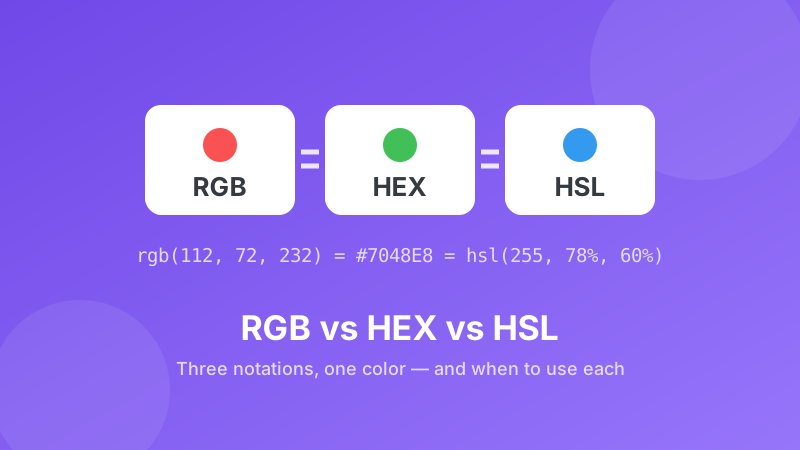
Here's the secret up front: RGB, HEX and HSL are not different colors — they're different ways of writing the same color. Think miles vs kilometers: one distance, two labels. Once you know what each notation is saying, you can read any color code you meet, pick the right format for the job, and translate between them in a click. This guide explains all three in plain English, with one example color carried through the whole article.
Need a color code from an image first?
Upload any photo or screenshot, click a pixel, and copy its HEX or RGB value — free and 100% in your browser.
Open the Image Color Picker →One color, three notations
Take the violet used on this article's cover. Here is that single color written all three ways, and where each notation earns its keep:
| Notation | Same color, written out | Where you'll use it | Why it's handy |
|---|---|---|---|
| HEX | #7048E8 | CSS, Figma, Canva, brand guides, most "color code" boxes | Short, one copy-pasteable token, universally accepted |
| RGB | rgb(112, 72, 232) | Microsoft Office dialogs, image editors, programming, screens | Plain decimal numbers; easy to tweak in code, maps to how screens work |
| HSL | hsl(255, 78%, 60%) | Modern CSS, design systems, building palettes and themes | Human-readable: change lightness or saturation without changing the hue |
Same violet, three spellings. Now let's unpack what the numbers in each one actually mean.
RGB: how your screen thinks
Every pixel on your screen is three tiny lights — red, green, and blue. RGB notation just states how bright each light is, from 0 (off) to 255 (full power). Our violet, rgb(112, 72, 232), is "some red, less green, lots of blue." Turn all three up and you get white, rgb(255, 255, 255); all off is black, rgb(0, 0, 0).
RGB is the native language of displays, which is why photo editors, Office color pickers, and most programming languages speak it. Its weakness: the numbers aren't intuitive. Quick — is rgb(112, 72, 232) more purple or more blue? Hard to say at a glance.
HEX: RGB in shorthand
A HEX code is the exact same three RGB numbers, written in base 16 (hexadecimal) and glued together behind a #. Each pair of characters is one channel: in #7048E8, the pair 70 is 112 (red), 48 is 72 (green), and E8 is 232 (blue). Letters A–F simply stand for the numbers 10–15 that a single base-16 digit can hold.
Because it's one compact token with no spaces or commas, HEX became the default way to share colors — brand guidelines, CSS, design tools, and email signatures all use it. If you only memorize one format, make it this one. Just remember there's nothing special inside: #7048E8 and rgb(112, 72, 232) are literally the same three numbers.
HSL: how humans describe color
RGB and HEX describe machine settings. HSL describes the color the way you'd say it out loud, with three intuitive dials:
- Hue (0–360) — the position on a color wheel: 0 is red, 120 is green, 240 is blue, and our 255 sits just past blue toward violet.
- Saturation (0–100%) — how vivid it is: 0% is gray, 100% is maximum intensity.
- Lightness (0–100%) — how bright: 0% is black, 50% is the pure color, 100% is white.
This is why designers love HSL for building palettes. Want a lighter version of your brand violet for a hover state? Keep hue and saturation, raise lightness: hsl(255, 78%, 75%). Want a muted background tint? Drop saturation. In RGB you'd have to juggle all three numbers at once; in HSL you turn one dial.
How to convert between RGB, HEX and HSL
You never need to do the math by hand. The free Toolyard Color Converter translates any color between all three formats instantly:
- Open the Color Converter in any browser — nothing to install, no account.
- Paste the code you have into its field — a HEX like
#7048E8, an RGB like112, 72, 232, or an HSL — or just pick the color visually. - The other two notations update instantly, with a live swatch so you can confirm it's the color you meant.
- Click the format you need to copy it, and paste it into your CSS, slide deck, or design tool.
Everything runs locally in your browser, so it works offline and your colors are never sent anywhere.
Which format should you use?
Use whatever the destination expects — the color is identical either way. As practical defaults: HEX when sharing or storing a color ("our brand blue is #1657D8"), RGB when a dialog gives you three number boxes (PowerPoint, Word, many photo editors), and HSL when you're designing — creating lighter, darker, or muted variations of a base color. Grabbing a color from a photo or screenshot? The Image Color Picker hands you HEX and RGB straight from any pixel, and the converter covers the rest.
Convert any color in one click
Paste a HEX, RGB, or HSL code and get the other two formats instantly — free, private, and no sign-up.
Open the Color Converter →