How to URL-Encode Text (Percent Encoding Explained)
Published July 28, 2026
You've seen it a hundred times: you copy a link and it arrives full of %20, %2F and %3D. Or you paste a search term into a URL and the page loads the wrong thing — or nothing at all. Both are the same phenomenon: URL encoding, also called percent encoding. It's the rule that lets a web address carry text containing characters a URL isn't allowed to hold. This guide explains what it is, which characters need it, the one mistake almost everyone makes, and how to encode or decode any string in seconds.
Encode or decode right now
Paste any text or link and convert it in either direction instantly. It runs in your browser — your text is never uploaded.
Open the URL Encoder / Decoder →What URL encoding is
A URL is allowed to use only a small, fixed set of characters: the letters A–Z and a–z, the digits 0–9, and a handful of symbols. Everything else — spaces, accented letters, emoji, Korean or Japanese text, question marks inside a value — has to be represented indirectly.
Percent encoding does that with a simple trick. Each disallowed character is converted to its bytes, and each byte is written as a percent sign followed by two hexadecimal digits. A space is byte 32, which is 20 in hex, so a space becomes %20. That's the whole idea — % means "the next two characters are a code, not literal text".
So annual report 2026.pdf becomes annual%20report%202026.pdf, and the browser turns it back into the original text when it reads the address.
The characters that matter
Some characters aren't just awkward in a URL — they already have a job, and leaving them raw changes what the address means:
?starts the query string →%3F&separates one parameter from the next →%26=separates a parameter name from its value →%3D/separates path segments →%2F#starts the fragment, and everything after it is never sent to the server →%23+means a space in old-style form data, so a literal plus must be escaped →%2B%itself, since it introduces every escape →%25- Space →
%20
Non-English text works the same way, just with more bytes per character. Modern URLs use UTF-8, where an accented or non-Latin character takes two to four bytes — so café encodes to caf%C3%A9. It looks noisy, but it's completely standard and every browser decodes it back correctly.
The mistake everyone makes
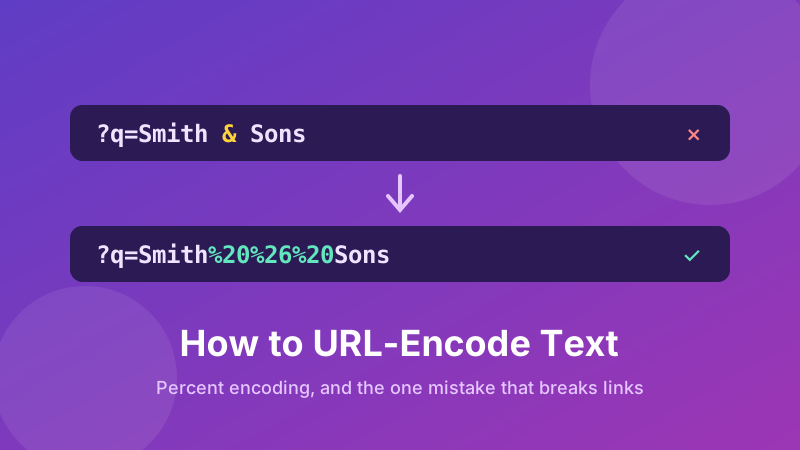
Here's the classic bug. You want to build a search link and your search term contains an ampersand — say the customer is Smith & Sons. You write:
https://example.com/search?q=Smith & Sons
The server doesn't see one search term. It sees a parameter q with the value Smith , and then a second, meaningless parameter called Sons. Your search silently returns the wrong results. Encoding the value fixes it:
https://example.com/search?q=Smith%20%26%20Sons
The rule to remember: encode the pieces you're inserting into a URL, not the URL itself. The structural characters — the ://, the slashes between path segments, the ? and the & that separate parameters — must stay raw so the address keeps its shape. Everything you drop into that shape gets encoded first.
That's exactly why the Toolyard tool has two modes. The default mode encodes your text as a value, escaping /, ?, & and = along with everything else. Full-URL mode leaves those structural characters alone so you can clean up a whole link — fixing the spaces and accents in it — without breaking it apart.
When you'll actually need it
- Building links with parameters — search queries, filters, tracking tags, pre-filled form fields.
- Sharing a file with a space in its name, where the raw link breaks in email or chat.
- Reading an API URL that arrived as an unreadable wall of
%3A%2F%2Fand needs decoding to be understood. - Debugging a redirect, where one URL is carried inside another as a parameter and has to be encoded so its own
?and&don't leak into the outer address. - Non-English links — checking that a Korean, Japanese or accented URL round-trips correctly.
How to encode or decode in Toolyard
The Toolyard URL Encoder / Decoder is free, needs no account, and converts everything on your own device.
- Open the URL Encoder / Decoder and paste your text or link into the top box.
- Click Encode to convert it to percent encoding, or Decode to turn
%20-style text back into readable characters. - Tick Full-URL mode when you're cleaning up a complete address and want
:,/,?,&and=to stay as they are. - Click Copy result and paste it wherever you need it — a browser bar, an email, a config file, some code.
- Sanity-check by decoding the result: if it comes back exactly as your original text, the encoding is correct.
That last step is worth making a habit. Round-tripping catches the most common failure of all: double encoding, where text that was already escaped gets escaped again and every % turns into %25. If you decode once and still see %20 in the output, you're looking at a double-encoded string — decode it a second time to get back to plain text.
Related things it's easy to confuse
- Plus signs versus %20. In the path of a URL a space is always
%20. In old-style form submissions a space may appear as+. Both are widely understood;%20is the safer choice everywhere. - URL encoding is not encryption. It hides nothing — anyone can decode it instantly. It's about making text safe to transport, not secret.
- HTML escaping is a different job. Turning
<into<protects a web page's markup; percent encoding protects a web address. Don't mix them up. - Base64 is different again. It converts binary data into safe text, and its own output often still needs URL-encoding before it goes into a link.
Is it private and free?
Yes. The Toolyard URL Encoder / Decoder is 100% private because the conversion happens in your browser with JavaScript — nothing is uploaded to any server, which matters when the string you're debugging contains a token, a customer name or an internal address. It's completely free with no sign-up, has no length limit worth worrying about, and works offline once the page has loaded.
Dealing with encoded data too?
If your string is Base64 rather than percent encoding, decode it in seconds with the same privacy — free and entirely in your browser.
Open the Base64 Encoder / Decoder →Convert your text now
Encode or decode any text or URL instantly, in either direction — free, private, copy-ready.
Open the URL Encoder / Decoder →