How to Convert CSV to JSON
Published July 24, 2026
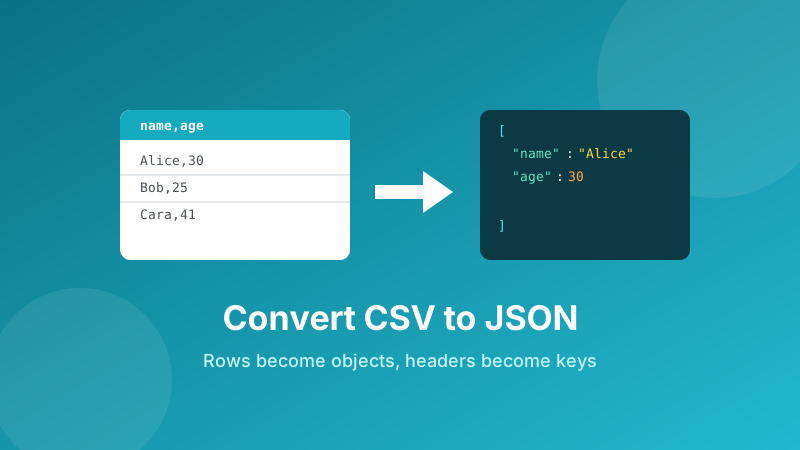
CSV is how the world stores tables — exports from spreadsheets, databases, and analytics tools all land as comma-separated rows. But the moment you want to feed that data into an API, a JavaScript app, or a config file, you need JSON instead. This guide explains what actually happens when you convert CSV to JSON, the edge cases that trip people up (commas, quotes, numbers), and how to do it in seconds without uploading your data anywhere.
Convert CSV to JSON now
Paste your CSV or drop a file, and get clean, formatted JSON you can copy or download. It runs in your browser — no sign-up, no watermark.
Open the CSV to JSON Converter →CSV vs. JSON: what's the difference?
CSV ("Comma-Separated Values") is a flat, table-shaped format: one line per row, with columns split by commas. It's compact and opens in any spreadsheet, but it has no idea what a "number" or a "nested list" is — everything is just text between commas.
JSON ("JavaScript Object Notation") is the language of the modern web. It stores data as key–value objects and arrays, understands numbers, booleans and nesting, and is what almost every API speaks. Converting from CSV to JSON is really about giving your flat table structure: names for each field, and a clear boundary around each record.
What conversion actually does
The rule is simple once you see it. Take this small CSV:
name,age,city
Alice,30,Seoul
Bob,25,Busan
The first row is the header — those become the keys. Every row after it becomes one object using those keys. The result is an array of objects:
[
  { "name": "Alice", "age": 30, "city": "Seoul" },
  { "name": "Bob",   "age": 25, "city": "Busan" }
]
That's the whole idea: columns become keys, rows become objects, and the file becomes an array. Once it's shaped like this, a program can loop over it, an API can accept it, and JavaScript can use it directly with no parsing.
How to convert CSV to JSON in Toolyard
The Toolyard CSV to JSON Converter is free, needs no account, and does all the work inside your browser — your data is never uploaded to a server. Here's the full process:
- Open the CSV to JSON Converter and paste your CSV text, or drop in a
.csvfile. - Make sure the first row holds your column names — those become the JSON keys. If your file has no header, add one.
- Choose your options: whether to keep numbers and true/false as real values (not quoted strings), and whether to pretty-print the output with indentation.
- The JSON appears instantly on the right. Scan it to confirm the keys and values look correct.
- Click Copy to grab it, or Download to save a
.jsonfile. There's no watermark and no limit on how often you convert.
Because everything runs on your device, even large exports convert instantly, and it keeps working offline once the page has loaded.
The edge cases that trip people up
Most conversions "just work," but a few classic CSV quirks cause broken output if the tool handles them naively. A good converter takes care of these for you:
Commas inside a value
What if a value itself contains a comma, like an address or "Smith, John"? In proper CSV that value is wrapped in double quotes: "Smith, John". A correct parser sees the quotes and keeps it as one field instead of splitting it into two columns. Toolyard's converter respects quoted values, so your commas survive intact.
Quotes inside a value
A double quote inside a quoted field is written by doubling it: "She said ""hi""" means She said "hi". This escaping is handled automatically so the JSON string comes out clean.
Numbers, booleans, and empty cells
Should 42 become the number 42 or the text "42"? Both are valid depending on your needs. Many tools (Toolyard included) can detect numeric and true/false values and output them unquoted, so your JSON is truly typed. Empty cells usually become an empty string "" or null — worth checking if your downstream code cares about the difference.
Line breaks inside a field
A field can even contain a newline if it's quoted. Naive splitting on line breaks would corrupt these rows; a real CSV parser keeps a quoted multi-line value together as a single string.
When you'll actually use this
Converting CSV to JSON isn't just a developer party trick — it shows up constantly:
- Feeding an API. Most web APIs accept and return JSON, so a spreadsheet export has to be converted before you can POST it.
- Seeding a website or app. Turn a list of products, team members, or FAQs from a spreadsheet into a JSON file your front-end can import.
- Config and content files. Static sites and apps often read content from JSON; editing in a spreadsheet and converting is friendlier than hand-writing JSON.
- Moving data between tools. One system exports CSV, the next one wants JSON — this is the bridge.
Need to tidy the JSON afterward?
Paste your JSON to format, indent, and validate it — instantly spot a missing comma or bracket. Free and private, right in your browser.
Open the JSON Formatter →Is it private and free?
Yes to both. The Toolyard converter is 100% private because it parses your CSV and builds the JSON entirely inside your browser with JavaScript — your data is never uploaded to any server. It's completely free with no sign-up and no watermark, and once the page has loaded you can even convert offline.
FAQ
What does converting CSV to JSON do?
It turns each row of a CSV spreadsheet into a JSON object, using the header row as the keys. A CSV table becomes an array of objects that programs and APIs can read directly.
Does the first row of the CSV become the keys?
Yes. The header row supplies the field names (keys) for every object, and each following row becomes one object with those keys.
How are commas inside a value handled?
A value that contains a comma should be wrapped in double quotes in the CSV, like "Smith, John". A proper converter respects the quotes and keeps it as a single value instead of splitting it.
Are numbers kept as numbers in JSON?
It depends on the converter. Many detect numeric and boolean values and output them without quotes, so 42 stays a number. Others keep everything as strings for safety. Toolyard's converter offers this choice.
Is converting CSV to JSON online safe?
With Toolyard, yes. The conversion runs entirely inside your browser, so your data is never uploaded to a server and nothing leaves your device.