How Many Words Is 1, 2, or 5 Pages?
Published August 31, 2026
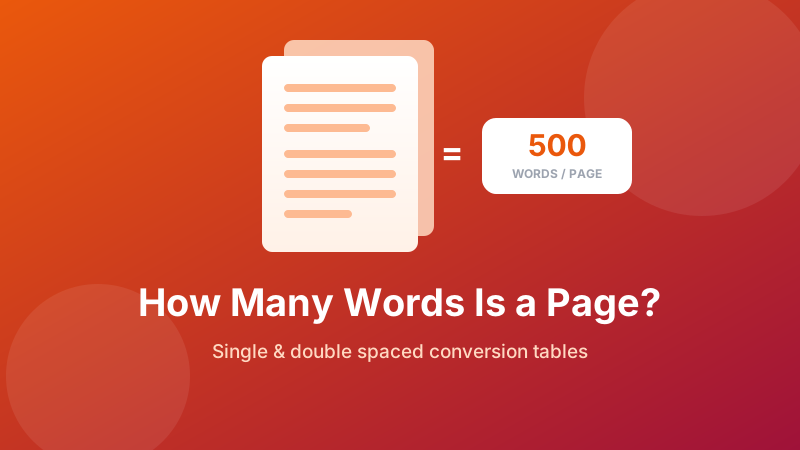
Your assignment says "five pages", your word processor counts words, and the two never quite line up. Page counts are slippery because they depend on font, size, spacing and margins — change any one and the same text takes a different number of pages. This guide gives you the standard conversions for both single and double spacing, shows how much each formatting choice actually moves the number, and explains why documents with headings and lists always run longer than the estimate.
Know exactly where you stand
Paste your document into the counter and get the word total instantly, then compare it against the tables below. Free, private — your text is never uploaded.
Open the Word Counter →The quick answer
Using the standard academic setup — 12pt font, one-inch margins, plain paragraphs of body text:
- 1 page single spaced ≈ 500 words
- 1 page double spaced ≈ 250 words
Everything else scales from those two numbers. Double spacing halves the number of lines that fit on a page, which is exactly why the double-spaced figure is half the single-spaced one.
Full page-to-word table
| Pages | Single spaced | Double spaced |
|---|---|---|
| ½ page | ~250 words | ~125 words |
| 1 page | ~500 words | ~250 words |
| 2 pages | ~1,000 words | ~500 words |
| 3 pages | ~1,500 words | ~750 words |
| 4 pages | ~2,000 words | ~1,000 words |
| 5 pages | ~2,500 words | ~1,250 words |
| 8 pages | ~4,000 words | ~2,000 words |
| 10 pages | ~5,000 words | ~2,500 words |
| 15 pages | ~7,500 words | ~3,750 words |
| 20 pages | ~10,000 words | ~5,000 words |
| 50 pages | ~25,000 words | ~12,500 words |
Words to pages, the other direction
If you already have a word count and need to know how many pages it will fill:
| Words | Single spaced | Double spaced |
|---|---|---|
| 500 | 1 page | 2 pages |
| 750 | 1½ pages | 3 pages |
| 1,000 | 2 pages | 4 pages |
| 1,500 | 3 pages | 6 pages |
| 2,000 | 4 pages | 8 pages |
| 2,500 | 5 pages | 10 pages |
| 5,000 | 10 pages | 20 pages |
| 10,000 | 20 pages | 40 pages |
What actually changes the count
The tables assume a specific setup. Here's how much each variable moves the result, roughly, for a single-spaced page:
| Change | Effect on words per page |
|---|---|
| 12pt Times New Roman | Baseline — about 500 |
| 12pt Arial | About 10–15% fewer (wider letters) |
| 11pt Calibri | Similar to Arial; wide default line spacing |
| 10pt instead of 12pt | Noticeably more — roughly a third again |
| 1.5 line spacing | About two-thirds of single spaced |
| Double spacing | About half of single spaced |
| Margins 1" → 1.5" | Around 20–25% fewer |
| A4 vs US Letter | A4 is taller and narrower — near enough the same total |
Two of these deserve a warning. Shrinking margins or the font size to hit a page count is immediately obvious to anyone who reads a lot of student work — a marker sees dozens of documents in the same required format, and yours will stand out. And a 12pt "font" is not one width: Times New Roman is a narrow, space-efficient typeface, while Arial and Verdana are considerably wider at the same nominal size.
Check your word count as you write
Paste a draft and see words, characters, sentences, paragraphs and reading time update live. No sign-up, no upload, works offline.
Count my words →Why your real page count runs longer
Take 1,250 words, format it double spaced, and it may well come out at six pages rather than five. Nothing is broken — the estimate assumes uninterrupted body text, and real documents are full of things that occupy space without containing words:
- Headings — each one takes a line, plus the space above and below it.
- Bullet and numbered lists — short lines that leave the right-hand side of the page empty.
- Block quotes — indented on both sides, so fewer words per line.
- Paragraph spacing — a blank line between paragraphs costs a line every time.
- Tables, figures and images — often a large block of page with no words at all.
- Page breaks — a section that starts on a new page can leave half a page blank.
- Title page and references — nearly always additional to the body.
A structured document with headings and lists can easily run 30–50% longer in pages than the raw word count predicts. Fiction with lots of dialogue behaves the same way, because each new speaker starts a new line.
Which number should you write to?
Write to the word count whenever you're given one. It is the only figure that doesn't move: it means the same thing in Word, Google Docs, Pages and a plain text file, on any device, in any font. A page count means nothing without the formatting spec attached to it.
If your brief gives only a page count, convert it once using the table for your required formatting, then track the word count as you write and check the page count at the end. That way you're steering by a stable number and only confirming the unstable one.
How to check your word count in seconds
- Open the Word Counter.
- Paste in your document — or just the body text, if the title page and bibliography are excluded from your target.
- Read the word total and compare it with the tables above for your spacing.
- Keep the tab open while you edit and paste again whenever you want to re-check. The counts update as you type.
Is it private and free?
Yes. Everything is processed inside your browser — your document is never uploaded anywhere, which matters for unsubmitted coursework or a manuscript. The tool is free, requires no sign-up, and works offline once loaded.
FAQ
How many words is 1 page?
About 500 words single spaced, or about 250 words double spaced, using a 12pt standard font with one-inch margins. Double spacing halves the number of lines that fit on the page, which is why the double-spaced figure is roughly half the single-spaced one.
How many words is 5 pages double spaced?
Roughly 1,250 words at 12pt with one-inch margins. If your assignment also requires a title page and a reference list, those are usually additional — so plan for about 1,250 words of body text rather than 1,250 words in total.
Does the font change how many words fit on a page?
Yes, noticeably. Times New Roman is narrower than Arial at the same point size, so a page of 12pt Times holds roughly 10–15% more words than a page of 12pt Arial. Fonts with wide default line spacing, such as Calibri and Verdana, fit fewer lines and therefore fewer words again.
Why does my page count not match the estimate?
Because the estimate assumes solid paragraphs of body text. Headings, bullet lists, block quotes, tables, images, extra space between paragraphs and short dialogue lines all leave white space that no words occupy. A document with lots of structure can run 30–50% longer in pages than the word count predicts.
Should I write to a page count or a word count?
Write to the word count whenever you have one, because it's the only figure that doesn't move. Page counts shift with font, margins, spacing and how much structure your document contains. If your brief gives only a page count, convert it using the table for your required formatting and then track the word count as you write.